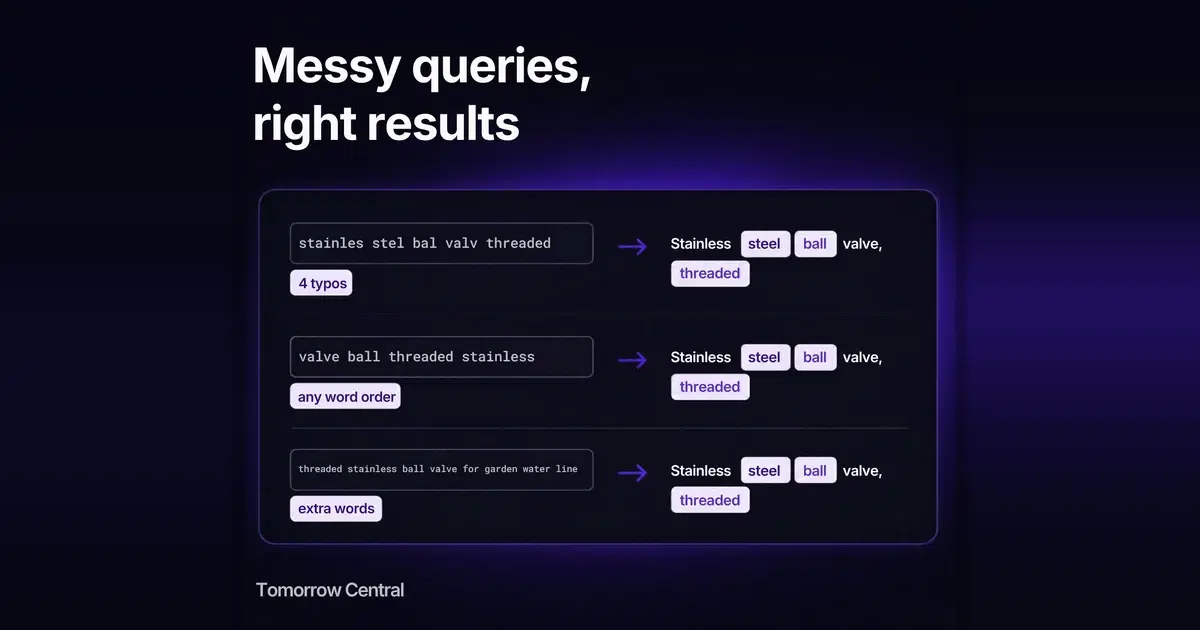
Buyers of parts type codes, not descriptions, and they type them with dashes, spaces, half the digits or a size on the end. Why most website search misses those, how to write your catalogue so codes are found, and what Tomorrow Central Search handles for you.
Why does part number search fail on so many websites?
A buyer who types a part number already knows exactly what they want. If the search box answers "no results", many will assume you do not stock it and order from someone whose search does work.
Part number search fails for a handful of predictable reasons: the code is written differently in the query and in the catalogue (a dash in one, a space or nothing in the other), the buyer types only the start of the code, a size or unit is attached in a different form, or the code is mixed with words the catalogue does not use. Most of these are fixed by how you write codes in your catalogue, and the rest by a search that treats codes as words to match rather than sentences to understand.
This guide is for distributors, manufacturers, spare-parts sellers and the small teams who run their websites: what goes wrong, how to format codes, a worked example and a checklist to run against your own search box.
What makes part numbers, SKUs and product codes hard to search?
A part number, model number or SKU (the seller's own stock code) identifies one exact item; an MPN is the manufacturer's part number, which Google Merchant Center uses to tell one product from another of the same brand. All of them mix letters and digits, carry punctuation that means something to an engineer and nothing to a search engine, and are often typed from a worn label or an old invoice.
Baymard Institute's benchmark of large e-commerce sites found that 16% did not support searching by product name or model number, even though those details appeared on the product page, and that 60% did not support searches with symbols and abbreviations, such as " or "in" for inch (Baymard Institute, published in Smashing Magazine, 2014). The figures are from 2014 and from consumer retail, but the failure types are the same ones a parts catalogue meets every day.
| How the buyer types it | What the catalogue says | Why a generic search misses it |
|---|---|---|
| 6205 2RS | 6205-2RS | The separator differs between query and catalogue |
| 62052RS | 6205-2RS | Written solid, the code is one long word the catalogue never contains |
| 6205 | 6205-2RS-C3 | Only the start of the code was typed |
| 2RS 6205 | 6205-2RS | The parts of the code are in a different order |
| M10x50 hex bolt | Hex bolt M10 x 50 | The size is joined in one and spaced in the other |
| 10 mm shaft collar | Shaft collar, 10mm bore | The unit is spaced in one and attached in the other |
| 6205 sealed bearing for gearbox | 6205-2RS deep groove ball bearing | Extra words ("for gearbox") appear in no item |
| M8 | Hex nut M8 | The whole query is a code too short for most full-text indexes |
None of these means the item is missing.
What happens to a dash, slash or space inside a part number?
Tomorrow Central Search reads dashes, slashes, dots and spaces inside a code as breaks between parts. It does this the same way on your catalogue and on the buyer's query. So 6205-2RS, 6205 2RS and 6205/2RS are searched as the same thing: the parts 6205 and 2RS, in any order.
Two behaviours follow from that, and you should know both:
- The start of a code is enough. Each word in a query also matches longer words that begin with it, so a buyer who types 6205 also finds 6205ZZ and 6205-2RS-C3. Typing the middle or the end of a solid code (2RS, to find 62052RS) does not find it.
- A code written with no separators is a different word. If your catalogue says 6205-2RS and the buyer types 62052RS, the search sees one word your catalogue does not contain.
The practical rule is simple: if your buyers write a code both ways, put both ways in the item. Keep the official form in the title and add the solid form, or the spaced form, in the summary.
How should you write part numbers in your catalogue?
For a parts catalogue, five habits matter more than any search setting.
Put the code in the title, next to a name
A title made only of a code ("6205-2RS") gives search nothing to work with when the buyer types a description. A title made only of a description leaves the code to whatever field it was buried in. Use both: "6205-2RS deep groove ball bearing, 25 mm bore". Words in the title count for more than words anywhere else, and the code is what a returning buyer will type.
Use one format for codes, and add the variants
Pick one way to write each code family and use it everywhere: one separator, one case, one order. Then add the other forms buyers really type to the summary: "6205-2RS, also written 6205 2RS or 62052RS". This is advice for your data, not a search setting, and it works with any search engine.
Write sizes and units the same way every time
Decide whether it is 50mm or 50 mm, M10x50 or M10 x 50, and stick to it. Where buyers use both, store both. A number on its own ("10") is too short to carry a search, so keep the unit attached to it in at least one place: "10mm bore".
Spell out what the suffix means
A buyer may type "sealed" when your code says 2RS, or "shielded" when it says ZZ. Put the plain words into the summary: "2RS: rubber seals on both sides". The search then finds the item from either the code or the description.
Do not let a bare number be the only identifier
A short number on its own matches far too much: every item whose code begins with it. Pair it with the standard, series or brand it belongs to, as buyers usually do: "DIN 912", "ISO 4762", "SKF 6205". Put that pairing in the title so it is searched together.
Example scenario: a bearings and fasteners distributor
Example scenario, not a customer case study. A distributor lists about 4,000 bearings, bolts, nuts and washers. The old store search matched whole titles only. The sales team hears the same complaint every month: "your site says you don't have it, but you do".
The team exports a CSV with an id, title, URL and summary per item. Titles follow one pattern, code, name, key size: "6205-2RS deep groove ball bearing, 25 mm bore", "M10 x 50 hex bolt, DIN 933, A2 stainless". Summaries carry the other spellings and the plain meaning of suffixes: "Also written 6205 2RS, 62052RS. 2RS = rubber sealed both sides." and "Also written M10x50."
Before switching on, they take the 30 codes the sales desk is asked for most often, write each one the ways customers actually send it, and run them all:
| Query | What they check |
|---|---|
| 6205 2rs | Finds the 6205-2RS bearing (separator and case differ) |
| 62052rs | Finds it through the solid form stored in the summary |
| 6205 | Lists the whole 6205 family, open, ZZ and 2RS |
| bering 6205 | The misspelling is corrected to "bearing" from the catalogue's own words |
| m10 x 50 stainless hex bolt for pump | The M10 stainless hex bolts are found: "pump" is in no item, but the other words are a clear majority. The 50 on its own is not searched, so the 40 mm and 50 mm lengths both appear |
| m10x50 | Finds the 50 mm bolt alone, because the joined form is in its summary |
| M8 | Finds the M8 nuts and bolts, because M8 is a separate word in their titles |
Two weeks later, the no-result report shows two kinds of failure. Buyers type "UCP205" where the catalogue writes "UCP 205", and "circlip" where it says "retaining ring": both are catalogue fixes, a solid form and the trade name added to the summaries. Buyers also type "spherical roller bearing 22210", a range the distributor does not carry: that is a sourcing conversation. All of it came from the report, not from guesswork.
What does Tomorrow Central Search handle for a parts catalogue?
Each item starts with a problem specific to codes.
- A buyer types the code with different punctuation. Dashes, slashes, dots and spaces inside a code are read as breaks between parts, on both sides, so 6205-2RS, 6205 2RS and 6205/2RS find the same bearing.
- A buyer types a short code such as M8, ZZ or A2. A two-character code that contains a letter is found when it is a separate word in the item's title, typed alone or with other words.
- A buyer adds words your catalogue does not use. "6205 sealed bearing for gearbox" still returns the sealed 6205 bearing, as long as most of the words in the query appear in the item. When most of them do not, the search shows no results rather than a weak guess, and the query lands in your no-result report. That is one more reason to write plain words such as "sealed" into the summary.
- A superseded part keeps turning up, or one part must come first for a code. For any search you can pin up to three items to the top or hide ones you don't want shown, such as a discontinued part, and preview the results with and without your rules before they go live.
- You cannot see which codes fail. For a parts seller the no-result list is two lists in one: formatting gaps to fix, and parts buyers want that you do not carry.
The general features (typo correction from your own catalogue, any word order, statistics) are covered in site search for your catalogue.
You bring the catalogue in as a CSV or JSON file, a Google Merchant feed, or an import of your verified website. Buyers then search it through a search box on your site, a hosted results page, or your own results page. The setup is covered in how to add search to a website.
On one live catalogue, the same engine cut zero-result searches roughly tenfold (measured differently before and after; see the case study).
What does Tomorrow Central Search not do yet?
- Very short codes outside the title. A two-character code such as M8 or C3 is found when it appears as a separate word in the item's title. In the summary only, it is not found. A single character, or a number of one or two digits on its own (the 50 in "M10 x 50"), is not searched at all, so write sizes joined as well ("M10x50") if buyers type them that way.
- No synonyms or abbreviation mapping today. The search will not learn that ZZ means shielded, SS means stainless, or "in" means inch. Write those words into your summaries.
- Codes from the middle of a word. Matching works from the start of each part of a code, not from inside a solid one.
- Catalogue size. Each search project holds a limited number of items; the Search tool page shows the current limits.
How do you test part number search on your own site?
Use this checklist to test part number search on any parts site. Run it on your current search before you change anything, and again after.
Your catalogue
- Every part has one stable id (your stock code is ideal) and a public product-page URL.
- Every title carries the code and a plain name: code, then what it is, then the key size.
- Each code family uses one format: one separator, one case, one order.
- The summary carries the other ways buyers write the code (solid, spaced, dashed).
- Sizes and units are written one way, with the unit attached to the number at least once.
- Suffixes and abbreviations are spelled out in words (2RS means sealed, ZZ means shielded, A2 means stainless).
- Bare numbers are paired with their standard, series or brand.
- Superseded parts are hidden or point to their replacement.
Your test queries
- The exact code, as printed.
- The code with a space instead of a dash, and with no separator at all.
- Only the first part of the code.
- The code in lower case.
- The code plus a size, written both joined and spaced.
- The code plus a misspelt word ("bering").
- The code plus words no item uses ("for gearbox", "price").
- A two-character code alone (M8), and the same code for an item that has it only in the summary.
Your follow-up
- Someone reads the no-result list every week.
- Each failed code is sorted into "fix the formatting" or "we do not stock it".
- The three to five codes that matter most commercially have a pin.
If a query fails, check the item by hand first: usually it is there, and the fix belongs in the catalogue.
When do you need more than self-serve search?
Self-serve search fits a public parts catalogue within the plan's item limit, run by a small team. If you are comparing hosted options, the trade-offs are in choosing an Algolia alternative for a small catalogue. If you need search inside your own environment, across internal documents, or for a catalogue beyond the plan's limits, the same engine is also available on-prem: talk to ITMTB about enterprise search.
Key takeaways
- Most code searches fail on formatting: a dash in one place, a space or nothing in the other, or a unit written differently.
- Put the code and a plain name in every title, keep one format per code family, and store the other common forms in the summary.
- Short codes kept out of titles, bare one- or two-digit sizes, synonyms and abbreviations are the limits to plan around; all are handled best in the catalogue itself.
- The no-result list is both a formatting to-do list and a record of parts buyers want that you do not stock.
Try it on your own parts catalogue
The Search free plan currently covers up to 5,000 products, 10,000 searches a month and one search project. Sign up with Search switched on, upload your catalogue, run the checklist's test queries against it, and read the no-result report after the first week. The Search tool page shows the current limits.
Sources
- The current state of e-commerce search, Christian Holst (Baymard Institute), Smashing Magazine, August 2014: the 16% and 60% figures.
- Search queries that include abbreviations and symbols, Baymard Institute guideline #344, updated July 2026 (full text is premium).
- MPN (manufacturer part number) attribute, Google Merchant Center Help: the definition of an MPN.
- Boolean full-text searches, MySQL 8.0 Reference Manual: how word-based full-text matching and prefix matching work.
- ITMTB enterprise search case study, ITMTB, 2026.
Frequently asked questions
- What is part number search?
- Part number search lets a buyer find an item on a website by typing its part number, model number, SKU or product code instead of a description. Good part number search finds the item when the code is typed with different punctuation, in lower case, only in part, or mixed with other words.
- Why does searching by part number on my website return no results?
- Usually because the code is written differently in the query and in the catalogue: a dash in one and a space or nothing in the other, a unit spaced in one and attached in the other, or extra words no item contains. Check a few failed searches against the catalogue by hand; the item is often there.
- Should part numbers be written with or without dashes in the catalogue?
- Keep the official form, usually with its dashes, in the title, and add the other forms buyers type, such as the solid version without dashes, to the summary. Storing both forms is the safest choice with any search engine.
- Does Tomorrow Central Search treat 6205-2RS and 6205 2RS the same?
- Yes. It reads dashes, slashes, dots and spaces inside a code as breaks between parts, on both the catalogue and the query, so both forms search for the same parts. A code typed with no separator at all, 62052RS, is a different word, which is why storing that form in the summary helps.
- Can a buyer find a part by typing only the start of the code?
- Yes. Each word in a query also matches longer words that begin with it, so typing 6205 finds 6205ZZ and 6205-2RS-C3. Typing a fragment from the middle or end of a solid code does not find it.
- Can I map abbreviations like ZZ to shielded, or SS to stainless?
- Not today: Tomorrow Central Search has no synonym or abbreviation mapping. Write the plain words into each item's summary, for example "2RS: rubber sealed both sides", so the item is found from either the code or the description.
- Do very short codes like M8 work?
- A two-character code such as M8 is found when it is a separate word in the item's title, typed alone or with other words. It is not found if it appears only in the summary, and single characters or one- and two-digit numbers on their own are not searched, so keep short codes in titles and write sizes joined as well as spaced.
- Can I run part number search on-prem?
- Yes. Tomorrow Central Search is self-serve as SaaS with a free plan. For on-prem deployment, contact ITMTB through https://www.itmtb.com/enterprise-search.